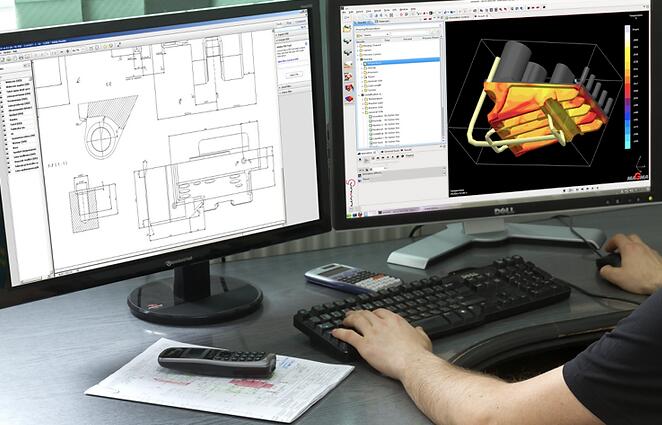
Computer-Aided Design (CAD) has transformed the landscape of engineering and architectural design, providing powerful tools that enhance creativity and streamline the design process. CAD software allows designers and engineers to create precise drawings, 3D models, and simulations, making it an essential component in various industries. In this article, I will explore the fundamentals of CAD, its applications, and how it has revolutionized the way we approach design.
What is Computer-Aided Design?
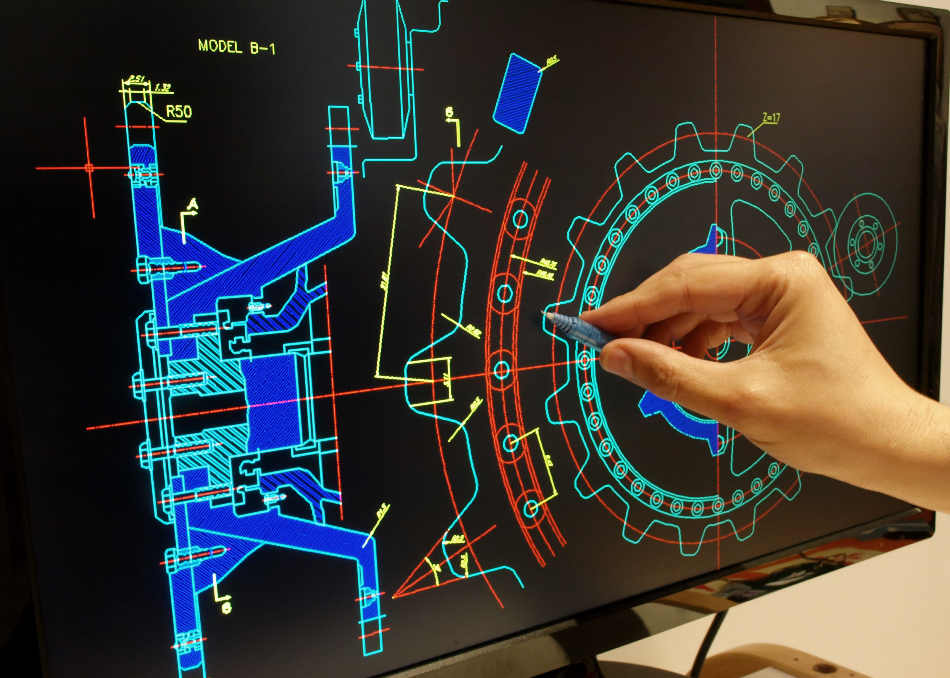
Definition
Computer-Aided Design (CAD) refers to the utilization of computer software to assist in the creation, modification, analysis, and optimization of designs. CAD software allows users to generate detailed technical drawings and 3D models, improving both accuracy and efficiency in the design process.
Key Features of CAD Software
- 2D Drafting: CAD software allows users to create precise 2D drawings, including floor plans, schematics, and technical illustrations. This feature is essential for engineers and architects to communicate design ideas clearly.
- 3D Modeling: One of the most significant advantages of CAD is the ability to create 3D models. Users can visualize their designs in three dimensions, enabling better understanding and evaluation of spatial relationships.
- Simulation and Analysis: Many CAD programs offer simulation tools that allow users to test their designs under various conditions. This capability is crucial for identifying potential issues and optimizing performance before physical production.
- Collaboration Tools: Modern CAD software often includes features for collaboration, enabling multiple users to work on a design simultaneously. This functionality is essential for team projects and enhances communication among stakeholders.
Applications of CAD
1. Architectural Design
In architecture, CAD software is widely used for creating building designs, floor plans, and elevations. Architects can easily modify designs, experiment with materials, and visualize projects in 3D, which aids in client presentations and approvals.
2. Engineering
CAD is extensively used in various engineering fields, including mechanical, civil, and electrical engineering. Engineers use CAD to design components, create assembly drawings, and conduct simulations to ensure functionality and safety.
3. Product Design
In product development, CAD software enables designers to create prototypes and models for consumer goods, electronics, and machinery. This process streamlines the design cycle, allowing for rapid iteration and innovation.
4. Manufacturing
CAD is integral to manufacturing processes, where it is used to create detailed drawings for production. CNC (Computer Numerical Control) machines rely on CAD files to produce parts with high precision, reducing errors and waste.
5. Interior Design
Interior designers utilize CAD software to create detailed layouts, select furnishings, and visualize spaces. This technology allows for efficient planning and helps clients see how their spaces will look before implementation.
My Journey with CAD
Getting Started
My exploration of CAD began during my studies in architecture. I was introduced to various CAD software, such as AutoCAD and SketchUp, and quickly realized the power of these tools in bringing design concepts to life.
Learning the Software
As I delved deeper into CAD, I took online courses and participated in workshops to enhance my skills. I learned essential techniques for 2D drafting, 3D modeling, and rendering, which significantly improved my design capabilities.
Hands-On Projects
Engaging in hands-on projects allowed me to apply my CAD knowledge practically. Some of my notable projects included:
- Designing a Small House: I created a complete architectural design for a small house, including floor plans, elevations, and 3D renderings. This project helped me understand how to balance aesthetics and functionality.
- Furniture Design: I designed a piece of furniture using CAD, focusing on ergonomics and material selection. This experience taught me how to visualize products and consider user needs.
- Urban Planning Layout: I participated in a group project to design an urban park, using CAD to create layouts and visualize the integration of green spaces into the urban environment.
Why You Should Explore CAD
1. Enhanced Creativity
CAD tools empower users to unleash their creativity by providing a platform for experimentation and innovation. The ability to visualize concepts in 3D opens up new possibilities for design.
2. Increased Efficiency
Using CAD software significantly speeds up the design process. With tools for automation, templates, and libraries of components, designers can work more efficiently and reduce the time spent on manual drafting.
3. Improved Accuracy
CAD software minimizes human error by allowing for precise measurements and calculations. This accuracy is crucial in engineering and architectural projects, where even small mistakes can have significant consequences.
4. Collaboration Opportunities
CAD promotes collaboration among team members, enabling multiple users to work on a project simultaneously. This feature fosters teamwork and enhances communication, leading to better outcomes.
5. Career Advancement
Proficiency in CAD is a valuable skill in today’s job market. Many industries seek professionals who can leverage CAD tools effectively, making it an essential asset for career advancement.
Conclusion
Computer-Aided Design has revolutionized the way we approach engineering and architectural design, providing powerful tools that enhance creativity, efficiency, and accuracy. My journey with CAD has opened up new avenues for expression and innovation, allowing me to bring my design ideas to life with ease. Whether you are an aspiring architect, engineer, or designer, exploring CAD can significantly enhance your skills and transform your approach to design. Embrace the power of CAD and discover how it can elevate your creative endeavors to new heights!