In the world of cloud computing, efficiency and security are paramount. CloudFormation templates from Amazon Web Services (AWS) provide a powerful way to automate the deployment of AWS resources while ensuring that your infrastructure is consistent and secure. In this article, I’ll share my journey with CloudFormation templates, how they helped me eliminate repetitive tasks, and best practices for deploying secure AWS stacks in minutes.
What are CloudFormation Templates?
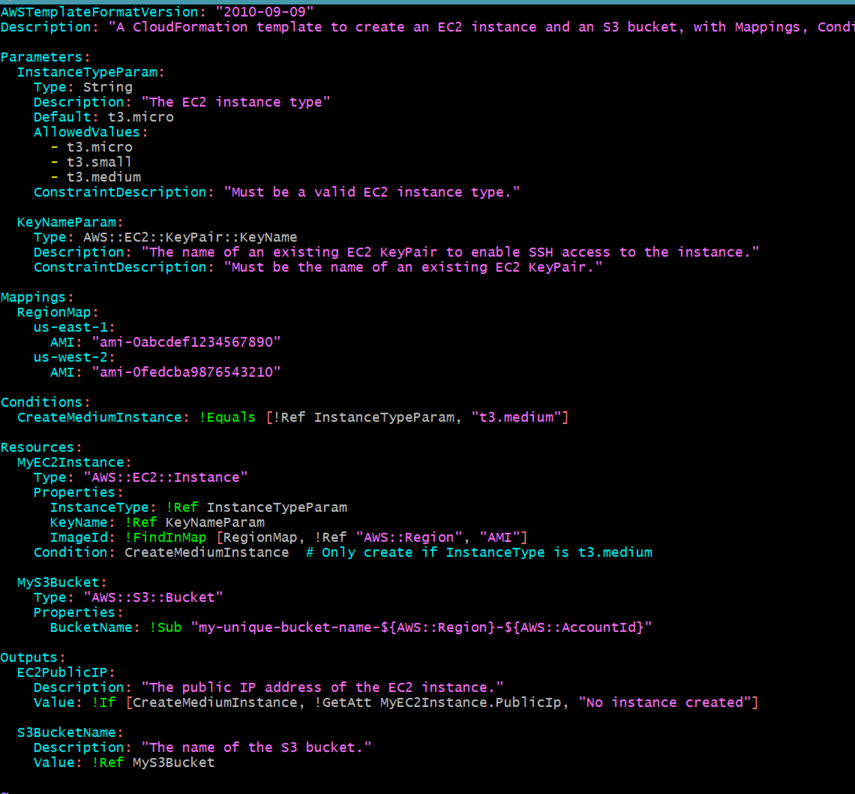
CloudFormation is an AWS service that allows you to define and provision your cloud infrastructure using code. With CloudFormation templates, you can create a blueprint for your AWS resources, enabling you to deploy them in a predictable and repeatable manner. These templates are written in JSON or YAML and describe the resources you want to create, their configurations, and the relationships between them.
Key Features of CloudFormation Templates
- Infrastructure as Code: Define your infrastructure using code, allowing for version control and easier collaboration.
- Resource Management: Automatically manage the lifecycle of AWS resources, including creation, updates, and deletions.
- Stack Management: Group related resources into stacks, making it easy to manage and deploy them as a single unit.
- Parameterization: Use parameters to customize your templates for different environments (e.g., development, staging, production).
- Outputs: Define outputs to easily reference important information, such as resource IDs or URLs, after stack creation.
My Journey with CloudFormation Templates
Before adopting CloudFormation, I often found myself deploying AWS resources manually, which was not only time-consuming but also prone to errors. Each deployment was a repetitive process that involved configuring security groups, EC2 instances, and other resources individually. This approach led to inconsistencies across environments and made it challenging to replicate setups.
Discovering CloudFormation
After learning about CloudFormation, I decided to give it a try. I started by creating a simple template to deploy an EC2 instance. The initial setup was straightforward, and I quickly realized the potential of automating my deployments. Here’s a basic example of a CloudFormation template that provisions an EC2 instance:
AWSTemplateFormatVersion: '2010-09-09'
Description: Simple EC2 Instance Deployment

Parameters:
  InstanceType:
    Description: EC2 instance type
    Type: String
    Default: t2.micro

Resources:
  MyEC2Instance:
    Type: AWS::EC2::Instance
    Properties:
      InstanceType: !Ref InstanceType
      ImageId: ami-0c55b159cbfafe1f0  # Replace with a valid AMI ID
      KeyName: my-key-pair             # Replace with your key pair
      SecurityGroupIds:
        - !Ref MySecurityGroup

  MySecurityGroup:
    Type: AWS::EC2::SecurityGroup
    Properties:
      GroupDescription: Enable SSH access
      SecurityGroupIngress:
        - IpProtocol: tcp
          FromPort: '22'
          ToPort: '22'
          CidrIp: 0.0.0.0/0  # Update this for better security

Outputs:
  InstanceId:
    Description: The Instance ID
    Value: !Ref MyEC2Instance
Benefits Realized
- Elimination of Repetition: By defining my infrastructure in a template, I could reuse the same code across different environments. This eliminated the need for repetitive manual configurations.
- Consistency Across Environments: With CloudFormation, I ensured that my development, staging, and production environments were identical, reducing the risk of environment-specific bugs.
- Rapid Deployment: I was able to deploy complex stacks in minutes instead of hours. This speed allowed me to focus more on development and less on infrastructure management.
- Version Control: Storing my CloudFormation templates in a version control system (like Git) enabled me to track changes, collaborate with team members, and roll back to previous versions if needed.
Best Practices for Using CloudFormation Templates
To get the most out of CloudFormation templates and ensure secure deployments, consider the following best practices:
1. Modularize Your Templates
Break down complex infrastructure into smaller, reusable modules. This approach promotes code reuse and makes it easier to manage changes. You can use nested stacks to organize related resources.
2. Parameterize Your Templates
Use parameters to customize your templates for different environments. This allows you to deploy the same template with different configurations, such as instance types or security settings.
3. Implement IAM Roles and Policies
Ensure that your CloudFormation stacks use the principle of least privilege. Define IAM roles and policies that grant only the necessary permissions to your resources.
4. Use Outputs Wisely
Define outputs in your templates to capture important information about your resources. This can include resource IDs, URLs, or any other data that may be useful after deployment.
5. Integrate with CI/CD Pipelines
Incorporate CloudFormation into your Continuous Integration/Continuous Deployment (CI/CD) pipelines. Automate the deployment of your stacks as part of your application delivery process.
6. Monitor and Audit Stacks
Regularly monitor and audit your CloudFormation stacks for compliance and security. Use AWS CloudTrail and AWS Config to track changes and ensure that your resources adhere to security best practices.
7. Test Your Templates
Before deploying changes to production, test your CloudFormation templates in a staging environment. This helps catch errors early and ensures that your infrastructure behaves as expected.
Conclusion
CloudFormation templates have revolutionized the way I manage and deploy AWS resources. By automating infrastructure provisioning, I eliminated repetitive tasks, ensured consistency across environments, and significantly reduced deployment times. Following best practices not only enhances security but also streamlines the management of AWS stacks. Embrace CloudFormation as a fundamental tool in your cloud strategy, and experience the benefits of efficient, secure, and repeatable deployments. With the right templates in place, you’ll find that managing your cloud infrastructure becomes a seamless and rewarding experience.